Handwriting — on a blank canvas or over a photo. Sometimes a sketch is faster
Write by hand on a blank canvas. Mark up a photo with circles and arrows. Turn any handwriting into searchable text, so AI still finds it. Meet Memol's new handwriting feature.
Memol's idea is simple: write it down and forget it — AI finds it later. We just added one more way to write. Say hello to handwriting.
Your thinking isn't always a bullet list
Arrows, circles, a quick diagram in the margin. Sometimes a pen is faster than a keyboard. Handwriting lets you capture those "before-it-becomes-text" thoughts right inside Memol.
Write on a blank canvas
From the handwriting button in a note's toolbar, draw on a blank canvas.
- Colors, sizes, eraser, undo/redo
- Pen pressure on Apple Pencil and other styluses
- Palm rejection — a resting hand won't scribble
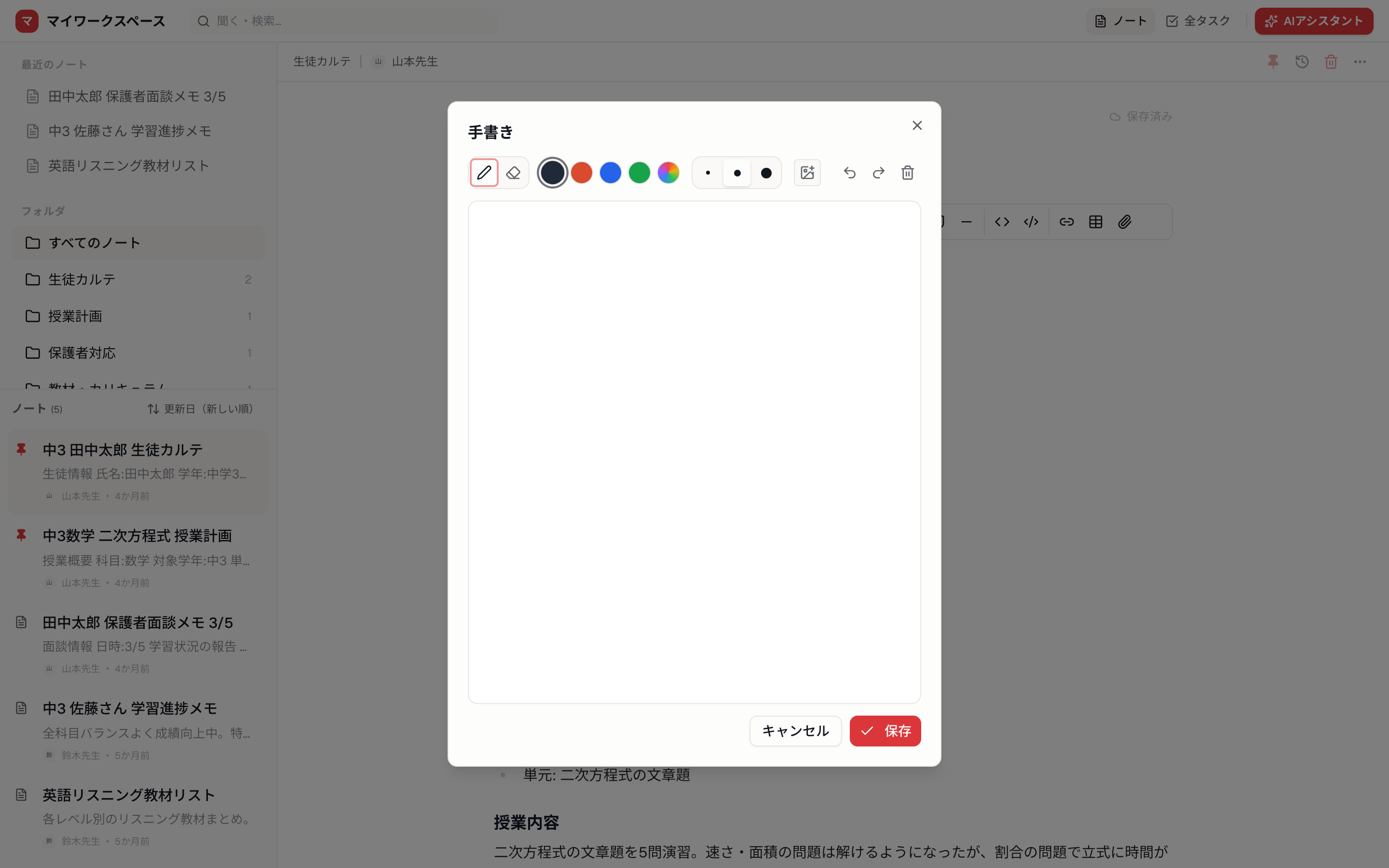
Meeting scribbles, a sketched-out idea, a bit of quick math — capture the moments that don't warrant opening a keyboard.
Circles and arrows, right on a photo
Load a photo as the background and draw directly on it.
- Salons, clinics, dental: mark up before/after shots or X-rays
- Real estate, construction: annotate site photos and floor plans
- Care, childcare: add notes to record photos
- Web, design: red-line feedback on screenshots
Perfect for the moments where circling something and drawing an arrow beats writing a paragraph.
Handwriting stays findable
Memol's handwriting isn't a dead end. Tap "To text" and AI transcribes it into the note. So your handwritten notes show up in search and the AI assistant can read them. No more "where did I scribble that?"
Just write — AI takes care of the rest. That holds for handwriting too.
How to use it
- Open a note and tap the handwriting (pen) button in the toolbar
- Draw on the blank canvas — or load an image via "Photo background" to draw on it
- Save, and the sketch drops into your note
- Optionally run To text to transcribe it
Already-inserted photos work too — select one and choose "Handwriting" to annotate it directly.
Handwriting feels best on iPad with Apple Pencil, but it works on phones and trackpads as well. Start on a blank canvas, get the thought down — Memol will find it later.
Related Articles
AI Format — turn rough notes into clean ones in one tap
Turn a note you scribbled down into clean headings and lists with one tap. AI keeps your content and only fixes the structure — preview before and after, then apply. A new paid feature in Memol.
Jun 6, 2026UpdatesPhoto memo — business cards and whiteboards become searchable notes
Memol's new Photo memo transcribes business cards, whiteboards, handwriting, and handouts into searchable notes. Cards get contacts structured automatically. How it works and what it costs.
Jul 2, 2026UpdatesVoice Memo — capture a note by talking, no keyboard
The hardest part of note-taking is starting to write. Memol's new Voice Memo lets you capture a note the moment it occurs to you, just by talking. AI cleanup, works in the browser and the apps. How it works and what it costs.
Jun 21, 2026